The Plant Sensor That Watered Too Much
A free A2-level English story for language learners, readable online in 7 languages, with an option to listen via the free Storyteller app.
Junie and Tobin come back from a trip to find their smart plant sensor has drowned their little succulent by mistake.
That was the preview! Hear the full story in the free Storyteller app. Get the app
Audio isn't available right now.
Junie shares a small dorm room with her roommate Tobin. They keep one plant on the windowsill, a little succulent named Pickle. Tobin buys a smart sensor for it before their big trip home.
"It waters Pickle for us," Tobin says. "We just set it and forget it."
He pushes the sensor into the soil. He taps a few buttons on his phone. A tiny light blinks green. They pack their bags and leave for the weekend.
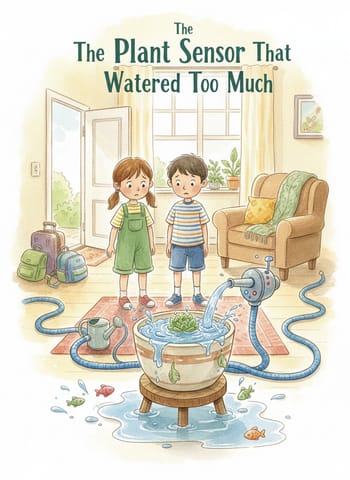
When they come back on Sunday night, the room smells strange. Water sits in a small pool under the plant pot. Pickle's leaves look soft and dark, not firm and green.
"What happened?" Junie asks. She picks up the pot and checks the soil. It is completely soaked.
Tobin opens the app on his phone. A long list of waterings fills the screen. The sensor gave Pickle water every hour for three days.
"I think I picked the wrong plant type," Tobin says slowly. "I set it for a fern, not a succulent."
Junie laughs and shakes her head. "A fern needs a lot of water. A succulent needs very little."
Tobin finds the plant settings in the app and changes them. He picks "succulent" from a short list. The app asks for watering only once a week.
They move Pickle to a dry spot near the open window. Junie checks on it every day after class.
Slowly, over the next two weeks, new green leaves appear. Pickle grows strong again, one small leaf at a time.